Runs on your own computer
The AI model runs on your PC or home server, not in a data centre. Pick any model you like and switch between them in a click. Answers appear word by word as they are written.
Assistant is a chat app that uses an AI model running on your own computer. Your conversations, memories and scheduled tasks are saved in one file on your disk. No account to create, no monthly bill, no one reading along.
sudo dpkg -i assistant_<version>_amd64.deb
A menu bar, quick keyboard commands, settings for each conversation, and a meter that shows how much the model can still remember. Comfortable for long sessions, readable on a phone.
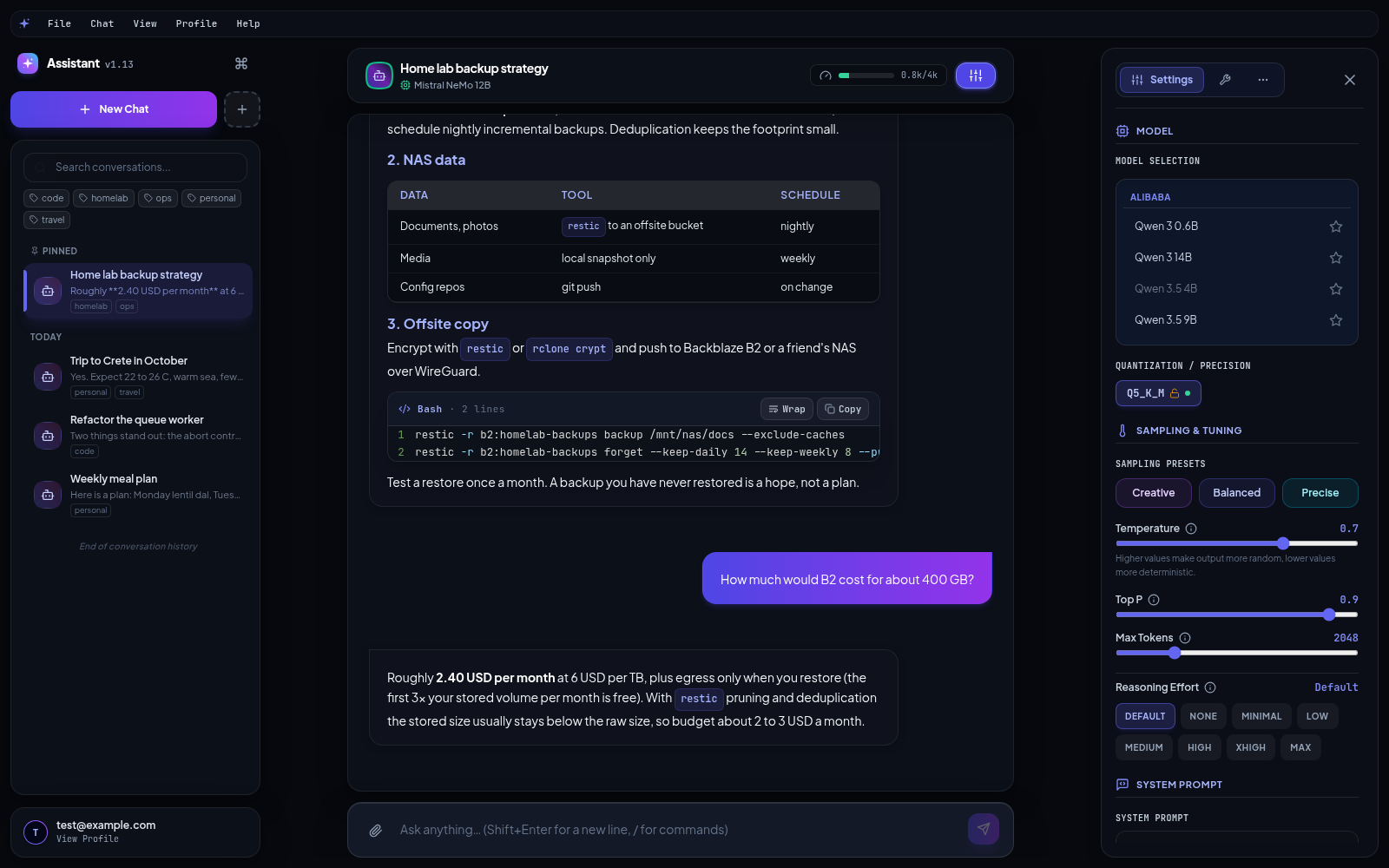
The AI model runs on your PC or home server, not in a data centre. Pick any model you like and switch between them in a click. Answers appear word by word as they are written.
Edit a message or retry an answer and the earlier version is kept. Jump between versions, shorten long chats, or save a conversation as a text file.
After a conversation ends, Assistant notes the useful facts and keeps them on your computer. It looks them up when they are relevant later. You can read, edit and delete every note.
Ask for something to happen at a set time: a morning briefing, a weekly summary, a check on a news feed. Results show up as new unread conversations.
Web search, reading web pages, weather, crypto prices, date, time and location. Turn each one on or off for your whole profile or for a single conversation.
Turn on "Allow remote connections" and open Assistant in your phone's browser while at home. Phone and desktop show the same conversation, live.
Install llama.cpp, a free program that runs AI models, on your most powerful computer. Assistant sees the models you have and can switch between them.
One installer, nothing else to set up. On first launch it creates a small settings file. Enter the address of your llama.cpp server there and you are done.
Everything you do is saved in one file in the app's data folder. Back it up by copying that file. You can also export or import your whole account as a zip at any time.
Latest release. Free, with no account or subscription.
Windows 10 or 11, 64-bit
Installer (.exe) Portable (.zip)Apple Silicon and Intel, macOS 12+
Disk image (.dmg) Archive (.zip)Debian, Ubuntu and derivatives, x64
Package (.deb) Archive (.tar.gz)The changelog lists what changed in every version; earlier packages stay available to download there.
Assistant itself is light. The AI model runs in llama.cpp, which you can run on whatever you have: a PC with a graphics card, a recent Mac, or an ordinary computer for smaller models. Assistant just needs to connect to it over your home network.
In one file in the app's data folder on your computer (under ~/.local/share on Linux, ~/Library/Application Support on macOS and %LOCALAPPDATA% on Windows). Conversations, memories, scheduled tasks and settings are all in that file.
Only what you turn on. Web search goes to your own search server (SearXNG); weather and crypto prices come from their public services. Assistant never sends usage data anywhere.
There is one local account and no email or password to register. The app opens straight away. If you want a lock, set a PIN under Settings → General. The PIN also applies when you connect from a phone. Nothing is registered with any outside service.
Yes. Turn on "Allow remote connections" in Profile → General and open your desktop computer's address in the phone browser. The layout fits a phone screen, and an answer being written shows up on every screen at the same time.
Yes. Export your account as a zip from the old version (Profile → General → Export) and import it in the new one. Conversations, edits, tags and settings all come across.